DICOM PS3.17 2020a - Explanatory Information |
Page 973 |
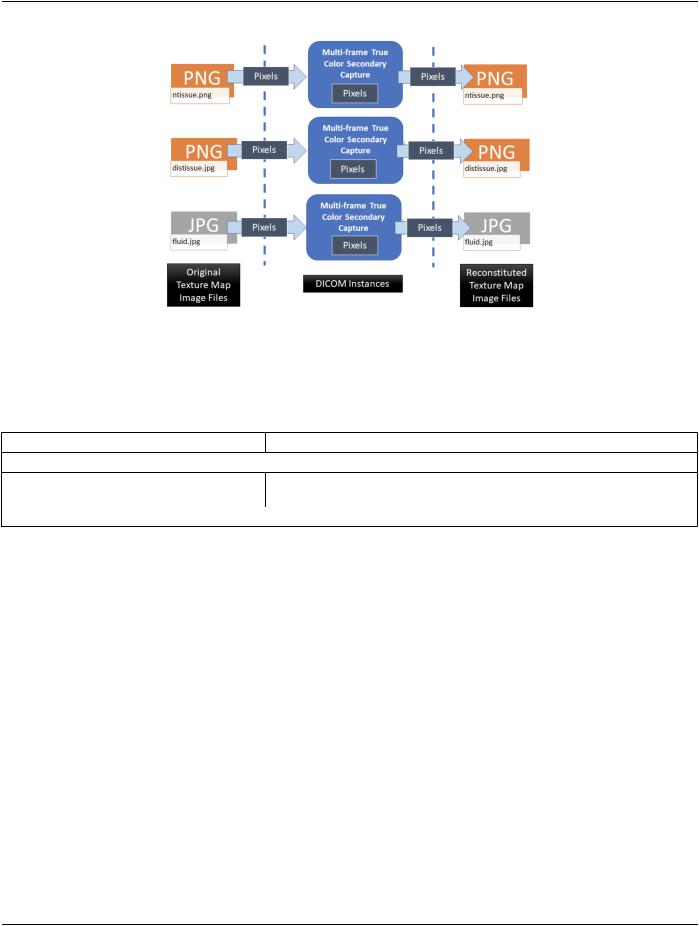
Figure RRRR.2-1. Example of Converting Texture Map Images into DICOM Images and back again
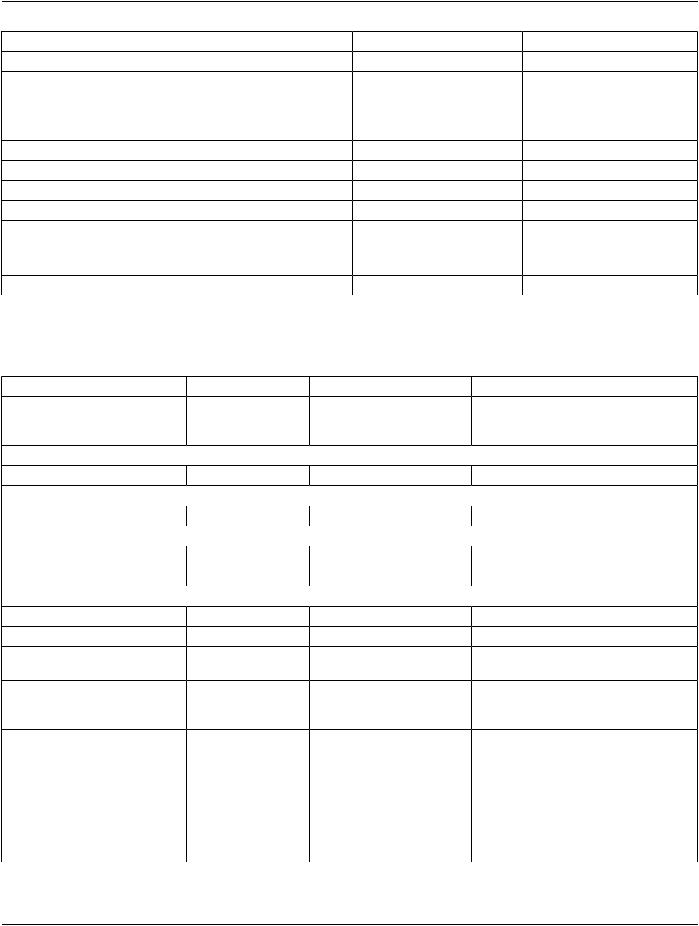
An abbreviated version of the first of these three object's DICOM headers is shown in Table RRRR.2-3, focusing on how these relate to use with an MTL Instance.
Table RRRR.2-3. Multi-frame True Color Secondary Capture Texture Map Example A
Attribute Name |
Tag |
Example Value |
Comments |
... |
|
|
|
Modality |
(0008,0060) |
TEXTUREMAP |
Indicates that the image is a texture map, and not |
|
|
|
some other image taken of the patient |
... |
|
|
|
It is important to note that when de-encapsulating MTL file, the texture map images must be restored to both their original file name and file format (as indicated by the corresponding URI Within Encapsulated Document attribute values contained in the Encapsulated MTL instance that references the texture map images. This is done so that the file name references inside the MTL, which will be read by downstream OBJ-capable software, will still be valid. Thus, in our example, our first texture map DICOM image must be converted back into a PNG (as indicated by the file extension in Relative URI Reference Within Encapsulated Document value) and saved to the file system as "ntissue.png" in the same location as the OBJ and MTL files.
The two other texture map images would be encoded in a manner like the one above.
RRRR.3 Manufacturing Model Grouping, Color & Opacity
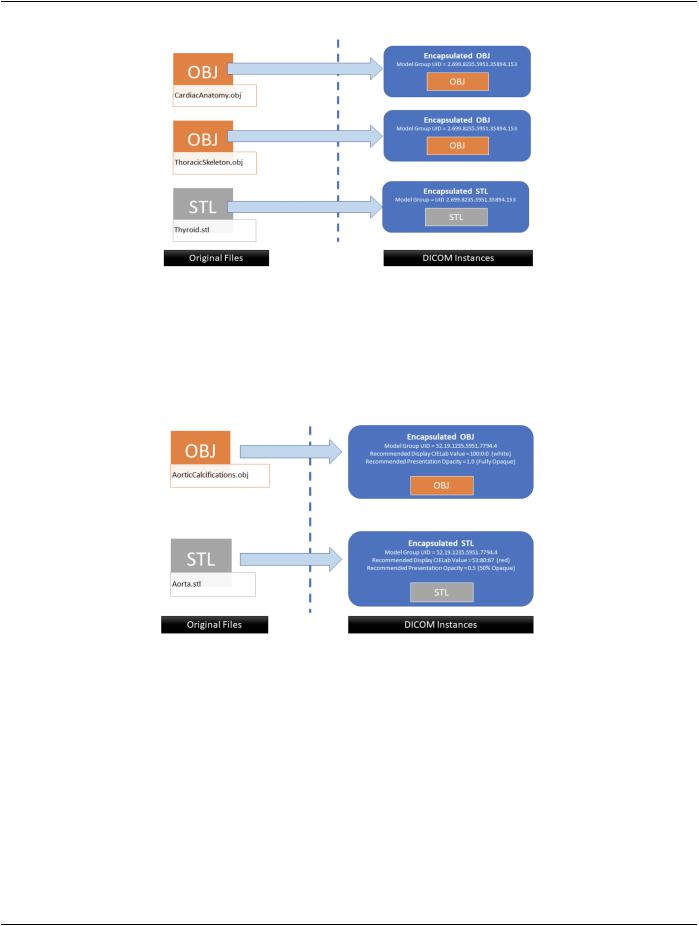
This example explains how to group manufacturing models together to indicate that they are intended to be assembled into a single unit (either after production, or as part of production on a multi-material printer). As shown in Figure RRRR.3-1, a group of models canincludeamixofbothSTLandOBJencapsulations(CardiacAnatomy.obj,ThoracicSkeleton.obj,andThyroid.stl).Allthatisrequired to indicate grouping is that the Model Group UID (0068,7004) be set to the same UID value for all objects in the group. In this example the optional material file was not needed by the OBJ.

 ...
...