Материал: Крючков Фундаменталс оф Нуцлеар Материалс Пхысицал Протецтион 2011

 Workspace
 Database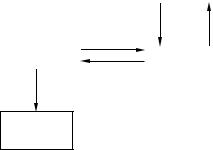
|
|
|
|
Collection |
|
|
|
|
|
|
Command |
|
Parameter |
||
|
|
|
|
|
|||
|
|
|
(Optional) |
|
|
(Optional) |
|
|
|
|
|
|
|
|
|
|
Execute |
|
|
|
|
|
|
|
Execute |
Source |
|
|
|
||
|
|
Collection |
|
|
|
||
|
|
|
|
|
|
|
|
Connection |
|
|
Recordset |
|
|
Field |
|
|
|
|
|
|
|||
|
|
|
|
|
|
|
|
Connection
Error (Optional)
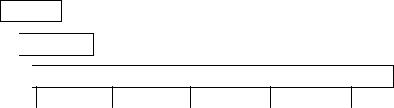
Fig. 7.7. ADO collection of data access object classes
Until recently, ADO was the central component of access to data in Windows-based applications. These components were supported by a number of software products from outside developers, e.g. Borland Delphi. They have an important role in creation of database applications, so we shall discuss them in more detail.
All ADO objects, excluding Error and Field, can be opened independently. The Command, Error and Parameter objects are not mandatory. Connection is the object that encapsulates communication with the data source within. It possesses the Execute method which returns, as the result of the query accomplished, the Recordset object containing a data sample. The Recordset object is the core of ADO. It can be also created independently of other objects and enables navigation through record sets, addition, deletion and editing of records, as well as retrieval and filtration of information. A number of examples follow to illustrate the principal object methods.
Let there be an ODBC-configured data source the name whereof is stored in the string variable myDSN. Then the following sequence of commands on VB will establish connection with the said data set. Further, the SQL query creates the Recordset object that contains Titles table data:
Dim myADOConnection As New ADODB.Connection Dim myRecordset As ADODB.Recordset MyADOConnection.Open myDSN
Set myRecordset = MyADOConnection.Execute(«Select * from titles»)
333