Материал: part17

Внимание! Если размещение файла нарушает Ваши авторские права, то обязательно сообщите нам

DICOM PS3.17 2020a - Explanatory Information​

Page 831​

FFFF Advanced Blending Presentation State​

Storage Encoding Example (Informative)​

This section illustrates the usage of the Advanced Blending Presentation State for a functional MRI study.​

FFFF.1 Introduction​

Quantitative imaging provides measurements of physical properties, in vivo and non-invasively, for research and clinical practice.​ DICOM support for parametric maps provides a structure for organizing these results as an extension of the already widely-used​ imaging standard. The addition of color LUT support for parametric maps bridges the gap between data handling and visualization.​

AnexampleofquantitativeimaginginclinicalpracticetodayistheuseofMRI,PETandothermodalitiesinbrainmappingfordiagnostic​ assessment in pre-treatment planning for tumor, epilepsy, arterio-venous malformations (AVMs) and other conditions. MR Diffusion​ tensor imaging (DTI) results in fractional anisotropy (FA) and other parametric maps highlighting white matter structures. Task-based​ functional MRI (fMRI) highlights specific areas of eloquent cortex (gray matter) as expressed in statistical activation maps. Other​ parameters and modalities including perfusion, MR spectroscopy, and PET are often employed to locate and characterize lesions by​ means of their hyperand hypo-metabolism and -perfusion in parametric maps.​

The visualization of multiple parametric maps and sources of anatomical information in the same space requires the tools to highlight​ areas of interest (and hide irrelevant areas) in parametric maps. Two important tools provided in this supplement are thresholding of​ parametric maps by their real-world values, and blending of multiple images in a single view.​

In this example the series 2 to 5 have a lower resolution and are expected to be resampled to have the same resolution as series 1​ as this is identified as series to be used for target Geometry.​

FFFF.2 Example​

The example describes the blending of five series:​

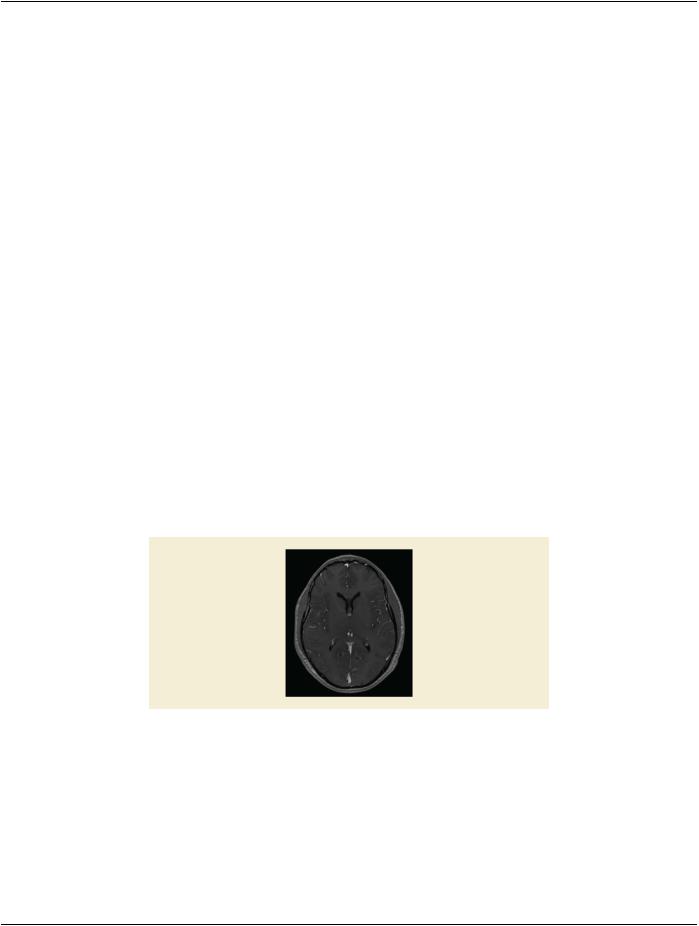
Series 1: the anatomical series which is stored as a single volume in an Enhanced MR Image object having no Color LUT attached.​ The Image will be displayed with a Relative Opacity of 0.7.​

Figure FFFF.2-1. Anatomical image​

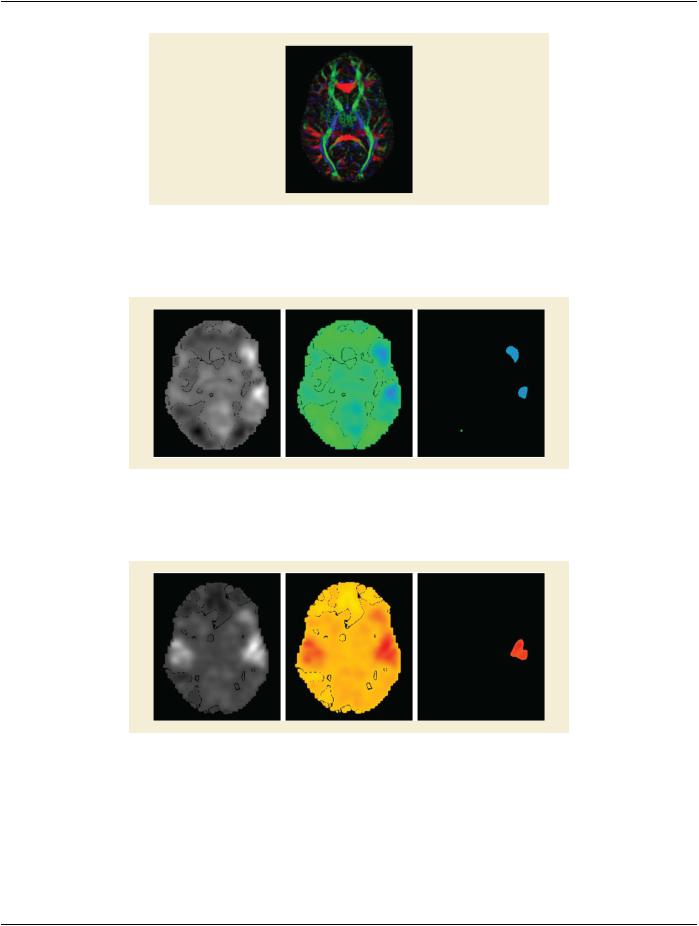
Series 2: the DTI series which is stored as an Enhanced MR Color Image object means that no RGB transformation is needed. The​ Image will be displayed with a Relative Opacity of 1 - 0.7.​

- Standard -​

Page 832​

DICOM PS3.17 2020a - Explanatory Information​

Figure FFFF.2-2. DTI image​

Series 3: Reading task captured in a Parametric Map with Color LUT Winter attached to it. The Image will be displayed with threshold​ range 6% to 50%. Opacity will be equal divided with the other two task maps.​

Figure FFFF.2-3. Reading task image with coloring and threshold applied​

Series 4: Listening task captured in a Parametric Map with Color LUT Fall attached to it. The Image will be displayed with threshold​ range 9% to 60%. Opacity will be equal divided with the other two task maps.​

Figure FFFF.2-4. Listening task image with coloring and threshold applied​

Series 5: Silent word generation task captured in a Parametric Map with Color LUT Spring attached to it. The Image will be displayed​ with threshold range 7% to 75%. Opacity will be equal divided with the other two task maps.​

- Standard -​

DICOM PS3.17 2020a - Explanatory Information​

Page 833​

Figure FFFF.2-5. Silent word generation task image with coloring and threshold applied​

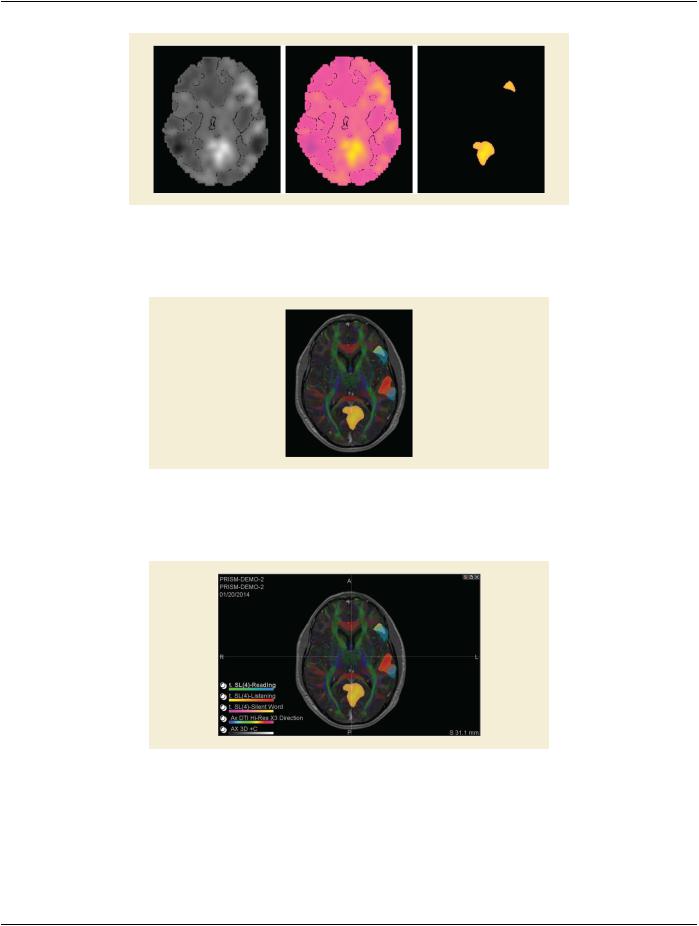
The result of the first blending operation (FOREGROUND) will be blended with the result of the second blending operation (EQUAL)​ through a FOREGROUND blending operation with a Relative Opacity of 0.6.​

Figure FFFF.2-6. Blended result​

Figure FFFF.2-6 shows the final result with information of patient and different blended image layers. The overlay of the patient and​ layer information is not described in the object but would be application specific behavior.​

Figure FFFF.2-7. Blended result with Patient and Series information​

- Standard -​

Page 834​ DICOM PS3.17 2020a - Explanatory Information​

FFFF.3 Encoding Example​

Table FFFF.3-1. Encoding Example​

Nesting​

Attribute Name​

Tag​

Value​

Comment​


Advanced Blending Sequence​

(0070,1B01)​


%item 1​


Identifies Anatomical​


Series, no subset of series​


or registration​

>​

Blending Input Number​

(0070,1B02)​

1​


>​

Study Instance UID​

(0020,000D)​

"1.3.46.670589.11.3"​


>​

Series Instance UID​

(0020,000E)​

"1.3.46.670589.11.3.45"​

>​

Geometry for Display​

(0070,1B08)​

TRUE​

Series geometry shall be​


usedastargetgeometryfor​


the blending operation​


%enditem 1​


%item 2​


Identifies DTI Series, no​


subset of series is used, no​


registration present​

>​

Blending Input Number​

(0070,1B02)​

2​


>​

Study Instance UID​

(0020,000D)​

"1.3.46.670589.11.3"​


>​

Series Instance UID​

(0020,000E)​

"1.3.46.670589.11.3.49"​

>​

Geometry for Display​

(0070,1B08)​

FALSE​

Series geometry shall not​


beusedastargetgeometry​


for the blending operation​


%enditem 2​


%item 3​


Identifies first Parametric​


map, no registration​

>​

Blending Input Number​

(0070,1B02)​

3​


>​

Study Instance UID​

(0020,000D)​

"1.3.46.670589.11.3"​


>​

Series Instance UID​

(0020,000E)​

"1.3.46.670589.11.3.56"​

>​

Threshold Sequence​

(0070,1B11)​


>​

%item 3-1​


>>​

Threshold Value Sequence​

(0070,1B12)​


>>​

%item 3-1-1​


>>>​

Threshold Value​

(0070,1B14)​

6​

First threshold value​

>>​

%enditem 3-1-1​


>>​

%item 3-1-2​


>>>​

Threshold Value​

(0070,1B14)​

50​

Second threshold value​

>>​

%enditem 3-1-2​


>>​

Threshold Type​

(0070,1B13)​

RANGE_INCL​


>​

%enditem 3-1​


%enditem 3​


%item 4​


Identifies second​


Parametric map, no​


registration​

>​

Blending Input Number​

(0070,1B02)​

3​


- Standard -​


DICOM PS3.17 2020a - Explanatory Information​

Page 835​

Nesting​

Attribute Name​

Tag​

Value​

Comment​

>​

Study Instance UID​

(0020,000D)​

"1.3.46.670589.11.3"​


>​

Series Instance UID​

(0020,000E)​

"1.3.46.670589.11.3.58"​

>​

Threshold Sequence​

(0070,1B11)​


>​

%item 4-1​


>>​

Threshold Value Sequence​

(0070,1B12)​


>>>​

%item 4-1-1​


>>>​

Threshold Value​

(0070,1B14)​

9​

First threshold value​

>>​

%enditem 4-1-1​


>>​

%item 4-1-2​


>>>​

Threshold Value​

(0070,1B14)​

60​

Second threshold value​

>>​

%enditem 4-1-2​


>>​

Threshold Type​

(0070,1B13)​

RANGE_INCL​


>​

%enditem 4-1​


%enditem 4​


%item 5​


Identifies third Parametric​


map, no registration​

>​

Blending Input Number​

(0070,1B02)​

3​


>​

Study Instance UID​

(0020,000D)​

"1.3.46.670589.11.3"​


>​

Series Instance UID​

(0020,000E)​

"1.3.46.670589.11.3.59"​

>​

Threshold Sequence​

(0070,1B11)​


>​

%item 5-1​


>>​

Threshold Value Sequence​

(0070,1B12)​


>>​

%item 5-1-1​


>>>​

Threshold Value​

(0070,1B14)​

7​

First threshold value​

>>​

%enditem 5-1-1​


>>​

%item 5-1-2​


>>>​

Threshold Value​

(0070,1B14)​

75​

Second threshold value​

>>​

%enditem 5-1-2​


>>​

Threshold Type​

(0070,1B13)​

RANGE_INCL​


>​

%enditem 5-1​


%enditem 5​


Pixel Presentation​

(0008,9205)​

"TRUE_COLOR"​


Blending Display Sequence​

(0070,1B04)​


%item 1​


>​

Blending Display Input Sequence​

(0070,1B03)​


>​

%item 1-1​


Anatomical series, no​


threshold​

>>​

Blending Input Number​

(0070,1B02)​

1​


>​

%enditem 1-1​


>​

%item 1-2​


DTI series, no threshold​

>>​

Blending Input Number​

(0070,1B02)​

2​


>​

%enditem 1-2​


- Standard -​

Источник: https://studfile.net/preview/14585770/